





It’s that time of the year! Whether working in a large multinational enterprise or in a small family business, the holiday season is known for its festive team lunches, holiday music, family style parties with employees’ kids or surprise dinners with Secret Santa gifts. Orchestrating either a small Thanksgiving lunch or a large Christmas ball is a huge task requiring detailed planning and organization.
A key element to ensure success is effective internal communication. Keeping your team in the know before, during, and after your event is critical and should be well thought out:
- Prior to the event, you will most likely need to share Date/Time, Value Proposition, Speaker Names, Agenda or Activity, Preparatory Work, Food & Drinks, Dress Attire and Transportation. You may also want to share a registration form with a field to share dietary restrictions or special need assistance required.
- During the event you may need to post last minute event updates or alerts; or you may like to have people using social networks to share what’s happening live.
- After the event, most likely you will like to thank everyone attending and share a sum-up or a memory for the future. You can also collect feedback and suggestions through a poll or create a shared photo-album.
Create an events workspace, step-by-step
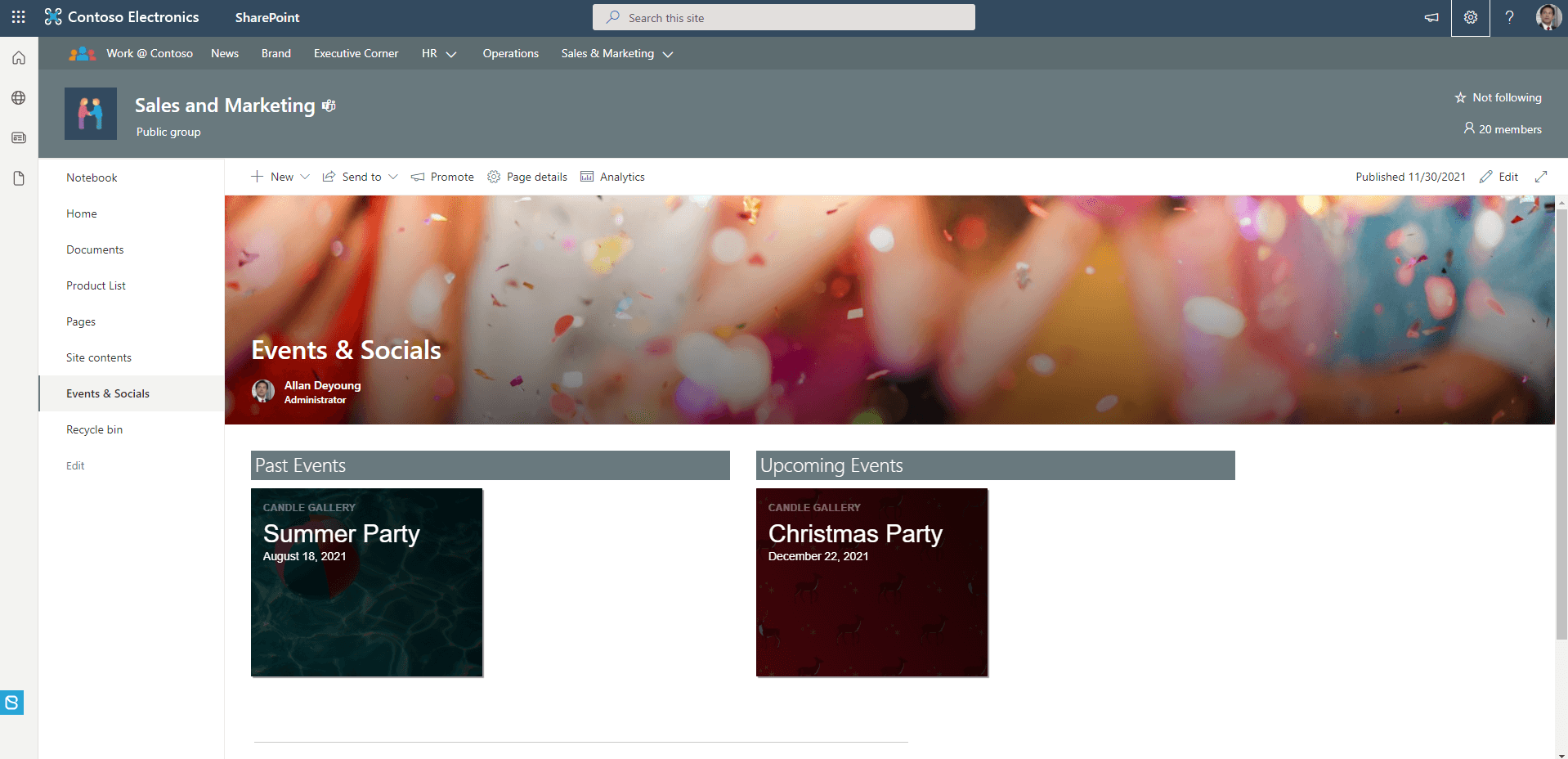
Choosing the right tool to communicate your internal events, and communicating them coherently though time, is as important as choosing which information to communicate. If your company already has a SharePoint intranet solution in place, then extending it with an “Events Central” can leverage existing goodwill and user engagement and improve reach.
Our latest KB article walks you through building an effective, well-governed event management solution using the BindTuning Web Parts in our Build subscription to complement Microsoft SharePoint.
Corporate Events in SharePoint, step-by-step
Let us get you started
Improving collaboration and making information easy and available for all, is absolutely essential to organizations. BindTuning has not only the tools but also the training to help you do it.
We’ll show you even more reasons to choose BindTuning. We’ll give you a quick demo and help you understand how you can do more than what OOTB has to offer.
Get a Demo